<!doctype html>
Mac Data Recovery Miami — Recover Your Lost Files
Mac data recovery Miami: If your MacBook or iMac lost files due to drive failure, accidental deletion, or liquid damage, our secure lab offers professional recovery with a free diagnostic. Call (305) 999-1046 for immediate help.
What we recover — Mac data recovery Miami
We specialize in recovering data from Mac-specific storage and scenarios, including:
- Failed SSDs and HDDs (internal and external)
- Accidentally deleted files or emptied Trash
- Mac that won’t boot after macOS update or firmware issue
- Liquid-damaged MacBooks or iMacs where the drive remains recoverable
- Encrypted drives and FileVault recovery (depending on keys/passwords)
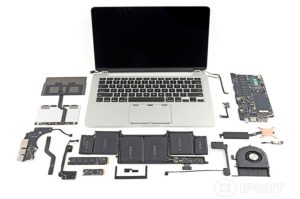
Our secure recovery process
- Free intake & diagnostic — we evaluate your drive and provide a no-obligation recovery quote.
- Forensic recovery — in our clean lab we image the drive, extract data and rebuild file systems.
- Validation & delivery — we validate recovered files with you, then return data on a secure drive or cloud transfer.
We handle sensitive data with care and maintain chain-of-custody records upon request. Some recoveries require advanced lab work — we’ll explain options and costs upfront.
Pricing & typical turnaround
Every recovery is unique. Typical ranges:
- Logical recoveries (deleted files, corrupted file system)
- Physical recoveries (mechanical or electronic SSD/HDD failures)
- Emergency service (same-day triage): additional fee may apply.
Exact price shown after free diagnostic. We’ll never start costly work without your approval.
Why choose our Mac data recovery service in Miami?
- Mac expertise: we know Apple file systems (HFS+, APFS) and common Mac failure modes.
- Secure lab: clean imaging environment + drive cloning before any work.
- Transparent pricing: free diagnostic and clear success estimates.
- Trust & partners: we work with local IT shops for business continuity (see partners below).
Frequently asked questions — Mac data recovery Miami
Can you recover files from a Mac that won’t boot?
Often yes. We attempt a safe image of the drive and recover files from the image. If the issue is hardware, physical recovery may be required.
My drive is physically clicking. Should I power it on?
No — clicking often means mechanical failure. Powering it on can cause more damage. Bring it to us for a professional evaluation.
Do you recover data from encrypted drives?
We can attempt recovery, but successful access requires the encryption password or recovery key. Without keys, recovery of usable files is unlikely.
Start your Mac data recovery today
Call now for a free diagnostic: (305) 999-1046 — or submit a ticket online. Emergency service available.
Related services
